A Browser Extension That Stays Out of Your Way
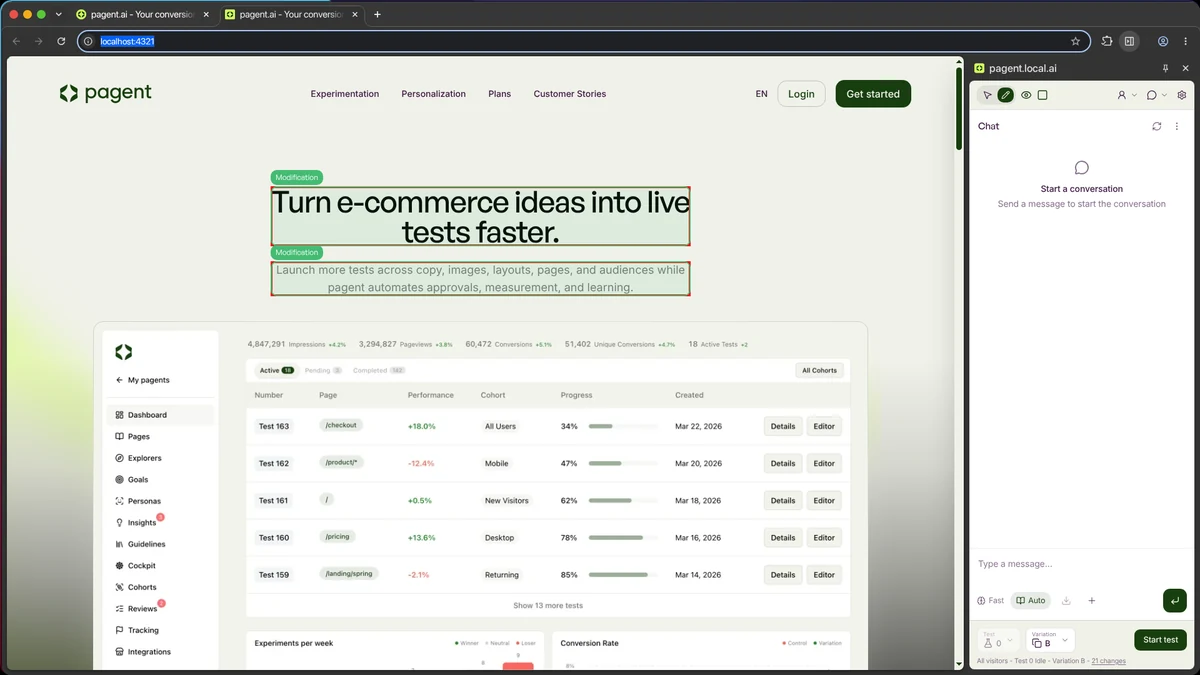
The pagent browser extension has been rebuilt from the ground up, and the biggest change is where it lives. The old extension injected its whole interface as a floating overlay on top of your site, so it could cover content and its styling could clash with yours. The new extension lives in the browser’s own side panel, docked beside the page instead of on top of it. Your site renders at its true width, nothing is covered up, and there is no more fighting over styles. You see the real page while you edit it.
It also stays with you. The panel keeps its place as you navigate, reload, or switch tabs, so you never lose your spot in a test just because the page underneath it changed. On pages without an active pagent session, the extension does essentially nothing, so it never gets in the way of normal browsing. And it is noticeably faster and lighter than the previous version. If it ever can’t reach the page, it tells you why and offers to switch you to the right tab, instead of leaving you staring at a blank panel.
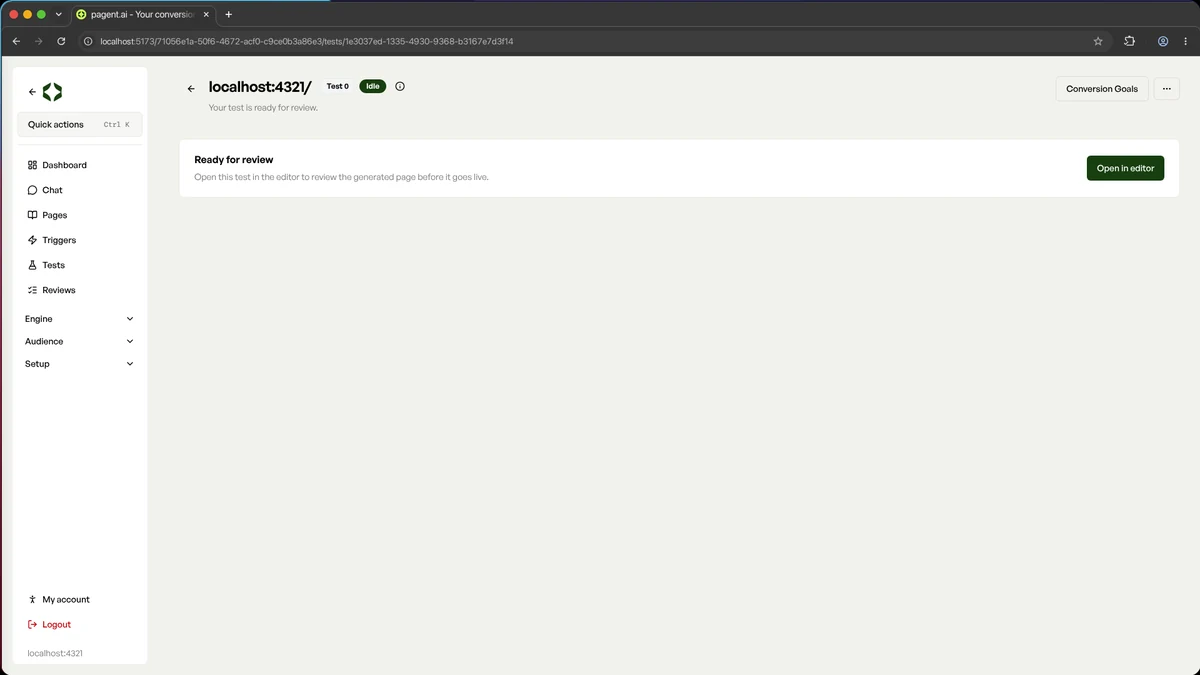
Getting there is simple. Open a test that’s ready for review in the dashboard and click “Open in editor”: the site opens in a new tab with the panel already bound to that test, variation selected and ready to go. You can also open the panel any time from the extension icon in your toolbar.
Once it’s open, you can do almost everything without leaving the page:
- Switch between Navigate mode for browsing normally and Edit mode for clicking any element to select it
- Click an element to edit its copy, images, visibility, or order
- See every generated change for the variation in one Changes list, each with the reasoning behind it, and remove anything you don’t want
- Toggle the variation on and off to compare it with the control, with changed elements outlined right on the page
- Chat with your agent about the page, attaching images or adding selected elements as context
- Create a test from an aspect of the page, or from a hypothesis
- Run the whole review flow: start a review, add reviewers, see the verdict, and launch the test once it’s approved
- Build and test triggers, manage goals, set the traffic split, and preview the mobile version
- Check analytics, metrics, and hypotheses for the test, all in the same panel
If you’re just browsing a page where one of your tests is already live, the panel picks that up automatically and shows you the live numbers, including whether you’re currently seeing the control or the variation. And on a site that doesn’t have a pagent yet, it offers to create one for you on the spot.
Connect your own AI tools to pagent
There’s now a pagent connector for AI assistants and agents, so tools like Claude can read your tests, results, hypotheses, and audiences and act on them directly. Access tokens for the connector can be given a chosen lifetime, and you can see when each one was last used.
Your agent knows more about your workspace
Chat gained a workspace context layer plus a batch of new capabilities, on top of the agent’s existing ability to configure your workspace. It can now create and update audiences too, with cohort targeting scoped correctly to your workspace.
Better hypotheses and results
Hypotheses now have a detail view, including a results table for every test that’s completed from them. Delete a test and its hypothesis is released again, ready to be picked up. Deleted tests also no longer linger in your explorers.
Improvements
A handful of smaller changes make everyday use smoother.
- The agent now reviews the pages it builds visually, looking at the rendered result before handing it to you
- When a page can’t be validated because it’s blocking us, pagent now suggests turning on the proxy setting
- The conversion goal dialog scrolls properly on smaller screens
- Chat now tells you why an attachment wasn’t accepted
- A reminder email lets you know when a winning test is waiting to be implemented
- Every new pagent has our support team invited by default, so we can help without you setting anything up
- The organisation picker remembers your last used organisation and is searchable, and you can search pagents by organisation name