Pip Now Builds, Checks and Fixes Every Test
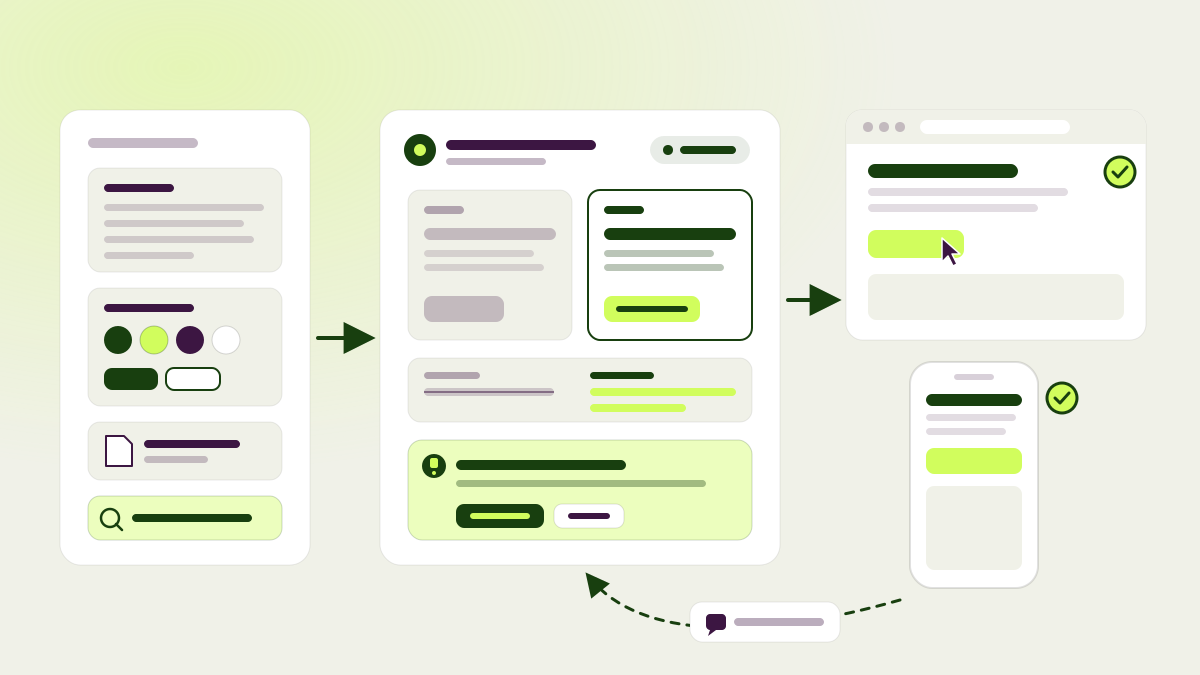
Building a good test takes more than writing a change. Someone has to know the brand and click through the page on a phone and on a desktop. Someone has to answer the reviewers and remember why each decision was made. Until now, pagent handled these steps as separate jobs, and each job started without knowing what the previous one had done. Now every new test gets one agent, Pip, that stays with it from the first instruction to the last review. You may know Pip as the guide that walks you through your first test. Pip now builds that test and every test after it. To learn how we built Pip and why it has so few instructions, read Pip: the agent harness we built by taking things away.
Pip builds all of a test’s variations together, so they differ only where the test needs them to. Before it starts, it reads what pagent knows about your website: your knowledge docs, your design system, the test’s page, goals and audience, and any files you attached. While it writes copy, it can check facts, such as whether delivery is really free above 50 euros. It can also generate images for a variation.
Then it checks its own work in a real browser, using the same pagent code that runs for your visitors. It opens the page as a desktop and as a phone and applies the change. If a test spans several pages, it clicks through the whole journey with the change in place. When a cookie banner or a dialog blocks a click, it sees what is in the way and deals with it. It hands over a change only after it has seen that the change works.
Pip doesn’t forget the test once the build is done:
- It asks instead of guessing. When an instruction is unclear or a fact is missing, Pip asks one question on the test page. Questions also show up under Tasks and arrive by email as “pagent has a question about test #N”. Answer the question, press Continue, and Pip picks up where it stopped.
- It fixes changes from review feedback itself. When reviewers ask for changes, Pip reads their comments, attachments and annotations and reworks the changes. The review then opens its next round. While it works, the test page says “pagent is working on this test” and holds other edits until it is done.
- It says why it stopped. If an instruction rules out a change, the failed test explains why instead of just asking you to try again.
- It builds on earlier tests. When Pip builds a follow-up test, it knows the earlier test’s hypothesis, result, goals and changes.
- It reaches protected sites. On sites behind access protection, Pip’s browser uses the headers, bypass token or Cloudflare Access credentials you set up for pagent, and a proxy where your site needs one.
Pip writes changes in pagent’s own building blocks for text, styles, attributes and scripts instead of one large script. That makes the changes easier to review. The review and Changes pages show the current and proposed text side by side and name any attributes that changed. A script Pip adds can bring its own tracking, and pagent creates and keeps its goals.
Underneath, every build and every edit is now saved as a fixed version of each variation. Reviews, results and rollouts always refer to exactly what visitors saw. If someone changes a variation while Pip is working on it, Pip sees the new version and doesn’t overwrite it. When you edit a running test, visitors get the new version right away. Tests that were built before this release keep the builder they started with.
Goals and holdouts that show the bigger picture
- Global holdout. A website can now keep up to 50% of its visitors out of every test and rollout. It is off until you turn it on. While it is on, each goal’s page compares held-out visitors with everyone else, so you can see what testing as a whole has done for that goal.
- Decide on revenue per visitor. A test with a revenue goal can now be decided on revenue per visitor instead of conversion rate. Unusually large orders are capped so that they don’t swing the result. Stopping, progress, results, emails and chat all follow the chosen metric.
- A Goals page for every test. Each test now has a Goals page that groups its goals as deciding, secondary and guardrail goals, with setup checks and a four-step flow for adding a goal. A funnel can now decide a test or guard it, and funnel and guardrail results appear in Results. Exit rate and error rate are default guardrails that every test reports. You can turn either one off on the Guardrails tab.
- Attribution per test. Choose how a test attributes conversions on its own page. The choice is locked once the test ends. On a goal’s page, View as shows how recent tests would read under a different attribution, without changing any verdicts.
- Goal history. Goal pages show how the goal performed before you created it, including page-view goals. For click goals, the history counts only clicks on the page the goal is set up for.
- Event filters. Filter event goals on any field their events carry, including fields of list items such as
items[].sku. A live count shows how many events match. - Reports. Test reports now explain what each secondary goal says about the main result. Download PDF produces a clean A4 file with page numbers. When a winner is kept live with a holdout, the rollout card shows both conversion rates and the uplift, and chat can tell you how the winner is doing.
Reviews, one change at a time
The review form now shows one change per screen, with Back and Next always in reach. A final screen collects the overall comment, the goal, setup notes and other reviewers’ feedback before you send. Approve all approves every change you haven’t decided yet in one click, and the form asks before you leave with unsent decisions. Review now on chat cards, in the reviews list and under Tasks opens your own review directly.
Mobile screenshots now come from a real phone browser, so sites that serve a different layout to phones look right. Reviews show each change on mobile too, and they label tests that only run on one device. A review with a failed change can still be sent, but the test won’t start until that change is fixed.
Knowledge that knows your design
pagent now reads your website’s design system from its live pages, including colors, type, spacing, shapes, components and the tone of its interface, and saves it as a Design system doc that every agent reads. The doc opens as a small version of your site built from those tokens, with swatches, type samples and live components. It uses your site’s own header and button labels. Edit a value in place and every agent uses the new one.
- Knowledge sections no longer have targeting settings. A section’s own text says where it applies, and pagent judges relevance from it. Existing limits were written into each section’s first line, and an editable Use when line shows them.
- When two sections contradict each other, pagent shows both side by side and asks which one is right before it suggests a rewrite.
- Imported PDFs no longer bring their running headers, footers and page numbers into your docs.
- Images that pagent generates carry a small “AI-generated” label in the page’s language for websites with visitors from the EU. The label is a knowledge section, so you can edit its text and placement or turn it off.
Also new
- Create test on the Tests page builds a test from a hypothesis or from your instructions, or opens an empty test in the editor.
- pagent no longer creates a follow-up test automatically when a test ends. Turn on Create follow-up tests automatically in Settings > Tests if you want it back. Queued and manual tests still start as before.
- Tasks is in the sidebar, with a count of your open cards.
- Hypothesis pages have an Actions bar, and their menu covers every action, from re-running to copying the link.
- When a build is blocked by one open item, pagent shows it with the reason, its proposed fix and one question whose answer finishes the test. A failed browser check asks whether the draft works, so you can confirm it or fix it in chat.
- Chat has Normal and Deep modes and an option for faster replies. The browser extension’s chat has a Fast toggle.
- Your AI tools can add variations with their own code to draft tests, pass detailed build instructions when creating a test, and read a test’s exact changes.
- Live tests can no longer be rolled back to a draft. Pause or stop the test instead. Past rollbacks still show in the test’s history.
- The app and the Tasks list invite you to install the browser extension until it is installed. Owners and admins see a card for adding pagent to Claude and ChatGPT.
- The extension’s test settings show the metric that decides the test.
- Fixes: the SDK sets no cookie before a visitor gives consent, and opting out leaves only the opt-out choice. Hypotheses whose test stopped without a result are concluded. Every new test gets its own number. Starting or queueing a test no longer fails when an agent adds a variation at the same moment. Chat keeps blocked drafts readable and previewable.