Ship Your Winners, Keep What You Learn
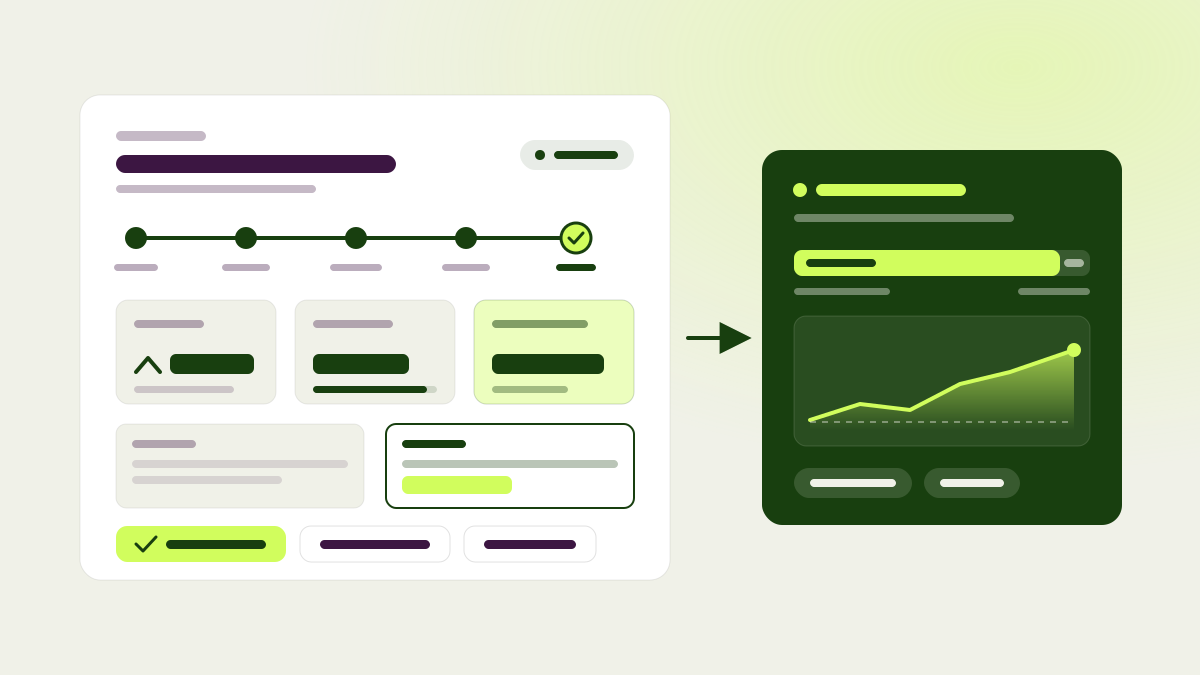
A test that wins is only worth something once the change reaches every visitor. Too often a winner sat in the list with nobody sure whose turn it was. Now a won test says it plainly: “Variation B won. Ship it.” Below that you see the extra revenue and orders it should bring each month, with a range, and the buttons to get there: Developer handoff, Create pull request, and Mark as shipped.
Every test also shows where it stands. A progress timeline runs from Draft through Review, Running and Result to Live, with the date of each step. The same status label appears everywhere: on badges, in lists, in filters and in the browser extension. Shipped winners get their own group in the tests list. Mark as shipped shows up wherever a winning test does, and chat brings up winners that are still waiting to ship.
If your developers can’t ship right away, pagent can keep the winner live for you. A rollout applies the winning change to everyone the test targeted. It doesn’t take a test slot, so the next test can start. You can keep a holdout of up to 50% of visitors on the original, and the Live step shows how many people the rollout reaches and its lift against that holdout. Winners kept live sit at the top of the tests list under Live with pagent, and you can end a rollout from the row menu.
The results page changed with it. Three headline tiles show uplift, chance to win and extra revenue a month, next to a before and after of the change. Results by device are back. Tests without revenue tracking say so instead of showing zero, and the monthly projection waits for a full day of data before it appears.
Knowledge docs replace guidelines
Everything pagent knows about your site and brand now lives in knowledge docs: one editable page per topic, organised in a tree. Your existing guidelines carry over the first time you open Knowledge, and every agent reads from these docs from then on. Admins and editors write them on the Knowledge page, in chat or through your AI tools. Viewers can read them.
- Import PDF, Word, Markdown and text files. pagent splits them into sections and points out duplicates and contradictions with what you already have.
- Suggestions read like tracked changes in a shared document. Removed words are struck through, added words are underlined, and a comment beside the text says where the suggestion came from and why. Accept, reject or edit each one.
- pagent learns from your results. When it decides a test as won or lost, it checks whether the result should change your docs, and if so it suggests one edit linked to the test.
- When two sections overlap or contradict each other, ask pagent to rewrite them and review its suggestion.
- Tell chat “remember that our coupon is SAVE20” and it saves the fact as a section once you approve.
Reports that write themselves
Ask for a report in chat or on the dashboard and pagent writes it from your prompt, with metrics, charts, tables, callouts and the test’s side-by-side preview. Share a report as a link that hides internal details, or as a PDF. Automations can write reports for you when a test finishes or on a schedule, and email the link. Every website has two ready-made automations, results for each finished test and a quarterly overview of the program. Both are off until you turn them on. On a test, the report icon sits in the panel’s actions and changes to Open report when the report is ready.
When tests run at the same time, pagent now checks whether they affect each other. You see the findings in results, chat and your AI tools. Strong overlaps come with a suggestion to put the tests in an exclusion group.
Statistics you can name
Pick Bayesian or frequentist statistics for your website, and override the choice for a single test. Then choose one of five levels in Settings > Tests: Explore, Fast, Balanced, Careful or Strict. Each level promises a limit on false winners, from at most 1 in 7 to at most 1 in 100. Balanced is the default. You can still set the exact rules under Advanced, and tests that have already started keep the rules they launched with.
- Losing variations stop early. With Bayesian statistics, a test stops as Stopped: losing once a variation’s chance to beat the original drops to 5%. That doesn’t count as a loss in your learnings.
- Result ranges now match the rule that decides the test, so a range above zero means the variation passed.
- Each test’s Analytics page compares any of its goals side by side, for all traffic or for desktop and mobile only. Draft, review and start screens name the goal that decides the test, and you can change it in one click.
- When you stop a test yourself, pagent shows its current reading and asks for your result. The test records who decided, you or pagent, and Change result lets you overrule pagent later or go back to its verdict.
Chat that sits beside your work
A chat button now sits at the bottom right of every page. It opens chat beside the page, attaches that page as context and follows you as you move around. Chat learns how you work from your corrections. You can see and edit what it remembers in Settings > Chat memory, and admins approve anything it suggests remembering for the whole team. You can share a chat with your organisation. Teammates who open the link can carry on in their own copy.
Chat can now research best practices and competitor pages on the web and answer with sources. It can also query your website’s analytics directly and report a test’s result for any single goal. It explains why a test is or isn’t ready to call, and ends each reply with up to three suggested next steps. Hypotheses get a quality rating of Weak, Acceptable or Excellent, based on five parts: evidence, the change, the audience, the expected response and the metric. When something is missing, chat looks it up in your data before it asks you.
Reviews that ask for one decision at a time
Each change on the review form is now its own numbered card with a thumbnail, a before and after, and two choices: Looks good or Change something. Test leads can leave a note that reviewers see first, on the review page and in the emails. Reviewers can show other reviewers’ feedback once they’ve formed their own view. A review rule can now say that either of two mandatory reviewers is enough, and the page names who still needs to respond. Reviews are grouped like tests, with the ones waiting on you first. Each review has an overview page with a page for every round. When an approved test has to wait for a free slot, the team gets an email naming the test it is waiting for.
Also new
- Learn: pagent Academy’s narrated video guides are in the app, with steps and transcripts, and your progress is saved.
- Set a priority on tests from Urgent to Low, and drag them into the order you want. Each page’s queue starts tests in that order.
- Archive tests you have replaced instead of deleting them. Archived tests stay readable on an Archived tab.
- A test whose trigger matches many pages now runs on all of them, and admins can move a draft to another page.
- Cloning a test copies its changes and goals, so a rerun no longer tests the original against itself.
- A blocked draft can be accepted as it is. While a test builds, you see the step the agent is on instead of a long log.
- Open in editor sits on the test page, and you can retake a screenshot that shows the wrong page.
- Tests and hypotheses created in the last six hours are marked as new. Hypothesis pages lead to their current test, and list rows have their own action menu.
- Goals can have a description that explains when they count.
- Pin integrations such as Contentful or GitHub to the sidebar.
- Add pagent to ChatGPT from ChatGPT’s plugin directory.
- Pull requests that pagent opens include the test’s screenshots and a preview link.
- The Errors page checks every hour for missing session data, traffic drops and SDK error spikes. It also lists server-side conversions that arrived without a visitor ID.
- The SDK answers requests for visitor IDs before it has finished loading, so fewer server-side orders arrive without one.
- The browser extension’s Preview on web works on pages without the SDK.
- Test changes can read live data from services your site already uses, such as free slots from a booking widget.
- The app loads about four times faster after a quiet spell.
- Fixes: a variation that trails the original no longer gets a Leading or Best badge. Every result email opens its test. Goal filters on nested event fields match correctly, and the event recorder confirms an event when you repeat it. Tests decided by many goals list them briefly. Search finds websites despite typos.